

Stauffers Plus Sign Up
Are you fully signed up with our new Stauffers Plus program? To ensure you completed the signup process prior to the programs launch on 10/15/25, you have several options!
Verify on the Stauffers Website
Sign in HERE and follow the below instructions.
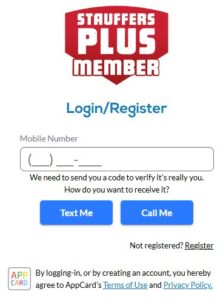
1) Enter your phone number. If you have a cell phone, click Text Me. If you have a landline, click Call Me.
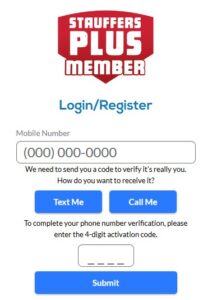
2) Enter the 4-Digit Code and click Submit.
3) Click Account. Confirm that your information is correct and update any that is not or missing. Click Update.
Verify on the Stauffers Shopping Site
Go to the Shopping Site HERE and follow the below instructions.
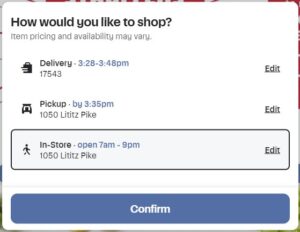
1) When you first go to our shopping site, it will ask for your shopping preference. Select Delivery, Pickup, or In-Store in the pop up. You can edit which store you are shopping at by selecting the edit button.
2) Select Sign In / Register in the top right hand corner.

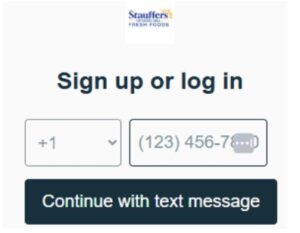
3) Enter your phone number and select Continue with text message. Enter the 6-digit verification code sent to your phone via text message.
4) Click on your name in the top right hand corner, and click Account Settings.
5) Click Manage your account and personal information.
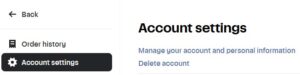
6) Confirm that your information is correct and update any that is not or missing. Click Submit.
Verify on the Stauffers Fresh Foods App
Open the Stauffers Fresh Foods App or Download HERE.
1) Click More and click Sign In.
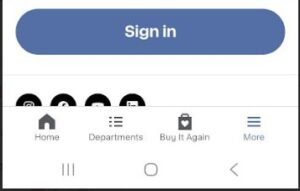
2) Enter your phone number and select Continue with text message. Enter the 6-digit verification code sent to your phone via text message.
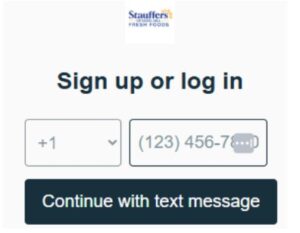
3) Click More and click Account Settings. Click Account Info. Click Manage your account and personal information.
4) Confirm that your information is correct and update any that is not or missing. Click Submit.
Visit Customer Service In-Store
If you’re unable to do the previous steps, stop in at customer service. Give them your phone number, and they can confirm your information is entered correctly and will update any information not entered.
Receive These Perks
With our new Stauffers Plus program launching on October 15th, we are making it easier for you to sign up once and be done. By becoming a Stauffers Plus Member, it will allow you to receive all program benefits:
- Receive the Flyers
- Receive Deals/Deal Notifications
- Digital Coupons
- Check Your Points
There are multiple ways to sign up. You can sign up now on our website, on our online shopping page, through our Stauffers Fresh Foods App or stop in our Fresh Foods stores to have a Team Member assist you.